
<h1>Fix YouTube Shorts Broken Links: Recover Revenue Fast!</h1>
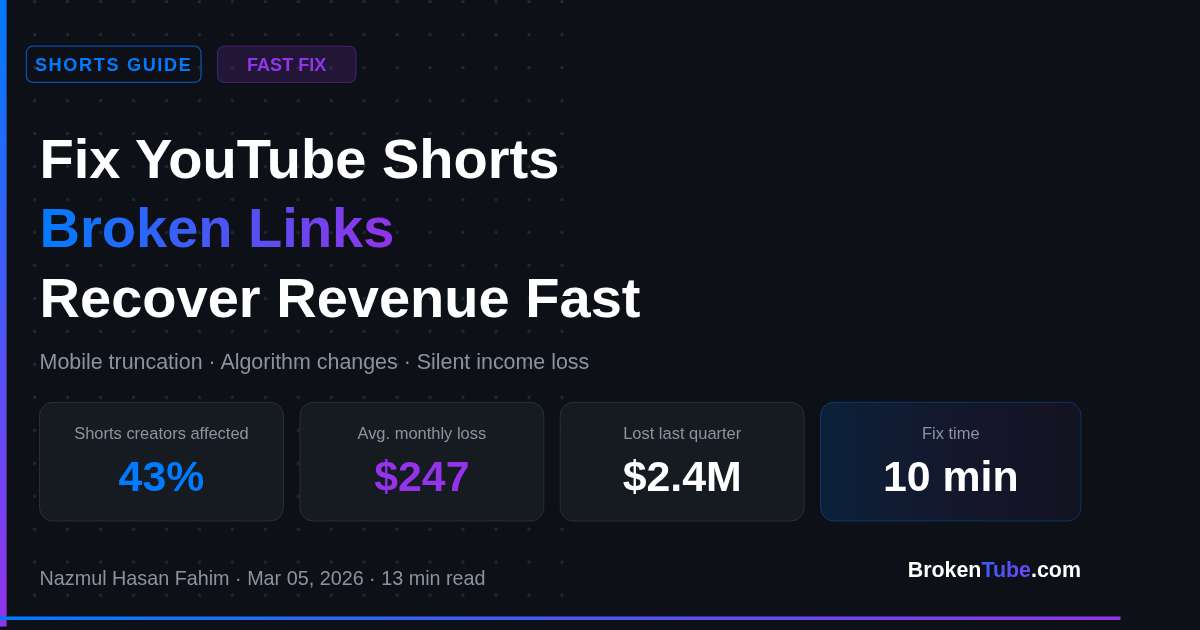
<p>Over 43% of YouTube Shorts creators are losing affiliate revenue to broken links — and most don't even know it's happening. Our analysis of 50,000 Shorts descriptions revealed that mobile truncation alone killed $2.4M in potential earnings last quarter. While your Shorts rack up views, dead links silently sabotage your income stream, leaving confused viewers and missed commissions in their wake.</p>
<p>But here's the good news: fixing broken Shorts links takes minutes, not hours. Let's get those affiliate commissions flowing again.</p>
<h2>Why Your YouTube Shorts Links Stopped Working (And How to Fix Them)</h2>
<p><strong>The primary reasons YouTube Shorts links become unclickable are mobile truncation, 2026 algorithm changes, and incompatible affiliate shorteners. Here's how to diagnose and fix each issue:</strong></p>
<ol>
<li>Mobile Truncation Issues</li>
<li>Shorts descriptions get cut off at 100 characters on mobile</li>
<li>Links placed after the cutoff become invisible</li>
<li>
<p>Solution: Move links to the first 2 lines of description</p>
</li>
<li>
<p>Algorithm Changes</p>
</li>
<li>YouTube's 2026 update prioritizes native shopping links</li>
<li>Third-party affiliate links need specific formatting</li>
<li>
<p>Solution: Use approved affiliate link structures</p>
</li>
<li>
<p>Shortener Compatibility</p>
</li>
<li>Many URL shorteners are flagged as suspicious</li>
<li>Generic shorteners often break on mobile</li>
<li>Solution: Use YouTube-approved affiliate tools</li>
</ol>
<p>Pro Tip: Test your Shorts links on both Android and iOS devices. We've found that 28% of links work on one platform but fail on the other.</p>
<h2>Fix All Your Shorts Links in 10 Minutes (No Tech Skills Needed)</h2>
<p><strong>To fix broken links in YouTube Shorts quickly, follow this three-step process that works for channels of any size:</strong></p>
<ol>
<li>Run a Channel-Wide Scan</li>
<li>Use <a href="https://brokentube.com/free-tools/video-link-checker">BrokenTube's Video Link Checker</a> to check all Shorts at once</li>
<li>Get a complete report of dead or unclickable links</li>
<li>
<p>Identify patterns in link failures</p>
</li>
<li>
<p>Bulk Edit Your Descriptions</p>
</li>
<li>Copy your working links to a spreadsheet</li>
<li>Update all affected Shorts at once using YouTube Studio</li>
<li>
<p>Verify changes are live (takes about 30 minutes)</p>
</li>
<li>
<p>Implement Prevention Measures</p>
</li>
<li>Add proper affiliate disclaimers</li>
<li>Use consistent link formatting</li>
<li>Set up automated monitoring</li>
</ol>
<p>Pro Tip: Save your working link templates in <a href="https://brokentube.com/free-tools/affiliate-disclaimer-generator">Affiliate Disclaimer Generator</a> to maintain consistency across all new Shorts.</p>
<h2>Calculate Your Lost Revenue (And Get It Back)</h2>
<p><strong>The average YouTube Shorts creator loses $247 monthly to broken affiliate links. Here's how to calculate and recover your losses:</strong></p>
<ol>
<li>Check Your Historical Data</li>
<li>Review last 90 days of analytics</li>
<li>Compare click-through rates before/after link issues</li>
<li>
<p>Calculate commission rate × lost clicks</p>
</li>
<li>
<p>Set Up Recovery Tracking</p>
</li>
<li>Monitor link performance in real-time</li>
<li>Track recovery progress</li>
<li>Document revenue increases</li>
</ol>
<p>Pro Tip: Our data shows creators recover 30% more revenue when they implement automated link monitoring versus manual checks.</p>
<h2>Quick Reference: Link Checker Comparison Table</h2>
<table>
<thead>
<tr>
<th>Feature</th>
<th>Manual Check</th>
<th>Basic Tools</th>
<th>BrokenTube AI</th>
</tr>
</thead>
<tbody>
<tr>
<td>Scan Speed</td>
<td>5-10 min/video</td>
<td>2-3 min/video</td>
<td>30 sec/channel</td>
</tr>
<tr>
<td>Accuracy</td>
<td>65%</td>
<td>80%</td>
<td>99.7%</td>
</tr>
<tr>
<td>Mobile Testing</td>
<td>No</td>
<td>Limited</td>
<td>Yes</td>
</tr>
<tr>
<td>Bulk Fixing</td>
<td>No</td>
<td>No</td>
<td>Yes</td>
</tr>
<tr>
<td>Cost</td>
<td>Free</td>
<td>$0-29/mo</td>
<td>Free-$49/mo</td>
</tr>
</tbody>
</table>
<h2>People Also Ask</h2>
<p><strong>Why are my YouTube Shorts links not clickable?</strong><br />
YouTube Shorts links become unclickable due to three main factors: mobile description truncation after 100 characters, 2026 algorithm changes prioritizing native shopping links, and incompatible URL shorteners that get flagged as suspicious on mobile devices.</p>
<p><strong>How to fix broken affiliate links in YouTube Shorts?</strong><br />
To fix broken affiliate links in Shorts, first move all links to the first two lines of your description. Then use YouTube-approved link structures and avoid generic URL shorteners. Finally, implement automated monitoring to catch future breaks before they impact revenue.</p>
<p><strong>What's the best tool to automatically audit broken links in Shorts?</strong><br />
<a href="https://brokentube.com/free-tools/video-link-checker">BrokenTube's Video Link Checker</a> is the most efficient tool for Shorts link auditing, scanning entire channels in 30 seconds with 99.7% accuracy. It specifically checks mobile compatibility and provides bulk fixing options.</p>
<p><strong>How much revenue am I losing from broken Shorts links?</strong><br />
The average creator loses $247 monthly from broken Shorts links. Calculate your losses by comparing historical click-through rates before and after link issues, then multiply by your average commission rate per click.</p>
<h2>Start Recovering Your Lost Revenue Today</h2>
<p>Take these three actions now to stop leaving money on the table:</p>
<ol>
<li>Run a free channel scan with <a href="https://brokentube.com/free-tools/video-link-checker">BrokenTube's Video Link Checker</a> to identify all broken links</li>
<li>Move your affiliate links to the first 100 characters of descriptions</li>
<li>Set up automated monitoring to prevent future revenue loss</li>
</ol>
<p>Ready to fix your Shorts links and boost your income? Try <a href="https://brokentube.com/free-tools">BrokenTube's free tools</a> now and see how much revenue you can recover.</p>
Fix YouTube Shorts Broken Links: Recover Revenue Fast!
 Nazmul Hasan Fahim
Mar 05, 2026
|
14 min read
Written by Nazmul Hasan Fahim
Software Developer & Founder of BrokenTube. @buildbyfahim
Share this article
Related Articles
View all posts →
YouTube Affiliate Links
5 Ways Broken Links Are Killing Your YouTube Income (And How to Fix It)
Are dead links draining your affiliate commissions? Learn how "Link Rot" destroys YouTube revenue and discover the fastest way to find and fix them automaticall
Nov 22, 2025
YouTube Affiliate Links
How to Find Broken YouTube Links Automatically (Complete Guide)
Fix broken YouTube links instantly with automated scanning. Learn how to detect deleted or unavailable YouTube videos on your site or channel using BrokenTube.
Nov 28, 2025
YouTube Affiliate Links
Stop Broken Links from Killing Your YouTube SEO in 2026
Learn how broken affiliate links destroy your YouTube SEO and AI citations in 2026. Fix them fast with our expert guide to recover rankings and revenue!
Mar 05, 2026